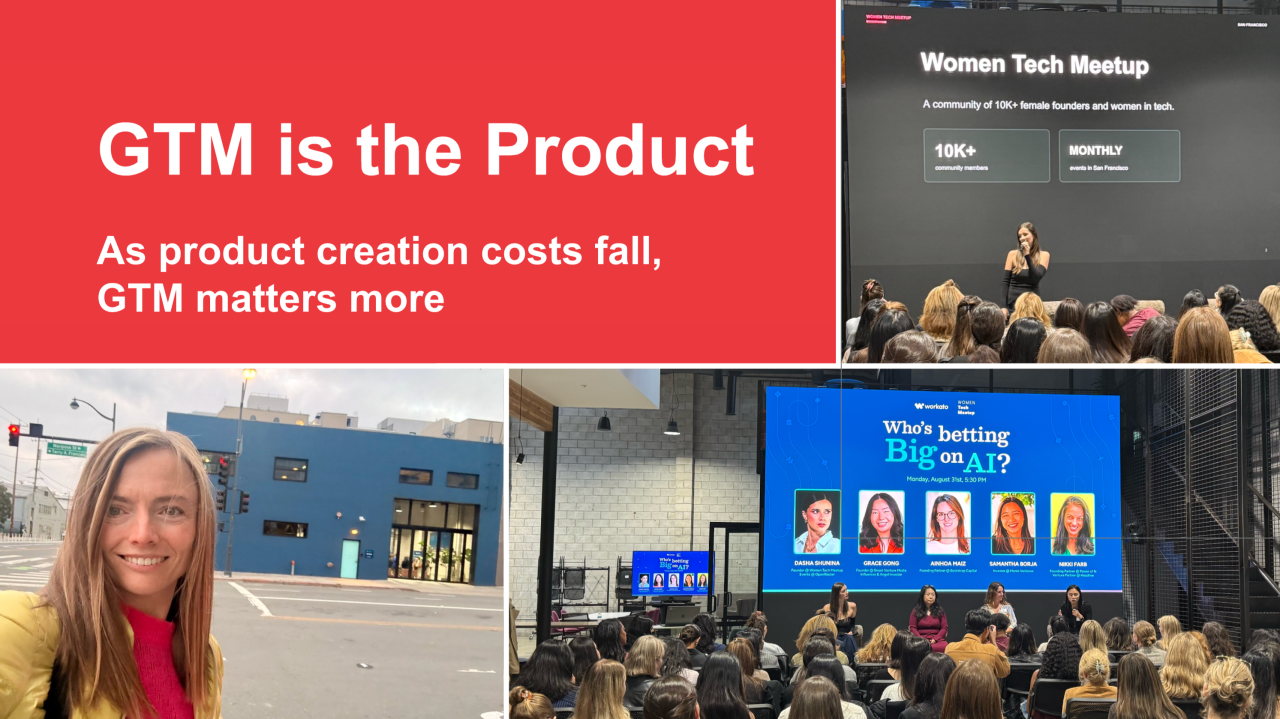
What’s new: a chapter on Marketing in the AI Era, Part 2: Acceleration. It captures marketing as it stands in Q4 of 2026: what has changed as AI advances and which GTM fundamentals endure.
The thesis: when AI makes products easy to build, it also makes them easy to copy. What stays hard is winning the buyer, and now also the agent that researches and shortlists on the buyer’s behalf.
In the era of AI acceleration, GTM is the product
The chapter shows what designing GTM as a product looks like: a brand promise kept at every touchpoint, content built for humans and AI agents, pricing and partnerships designed around outcomes, the new roles and data that run GTM, and events that earn trust in person.
Thank you to the incredible leaders whose insights shaped the new book chapter:
The barriers to building a software product were never lower. Just look at Claude Opus 4.8 released at the end of May 2026 to see how far the frontier has moved. Its new dynamic workflows feature in Claude Code can plan complex projects, coordinate hundreds of parallel agents, and verify their output. A founder can increasingly move from an idea to a functioning product with a fraction of the time, capital, and engineering resources previously required. And the AI we know today is the least capable AI we will ever use.
In an era where products can be built faster and product launch content can be generated instantly, what’s worth building and taking to market?
That question was at the heart of the recent Women Tech Meetup panel, “Who’s Betting Big on AI?”, held at Workato ’s office in San Francisco’s Dogpatch, and moderated by the one and only Dasha Shunina.
The panel brought together three investors with distinct perspectives on what makes an AI company valuable and durable:
Throughout the conversation, the panelists kept returning to the concept of first principles.
The term comes from Aristotle, who used it for a proposition that cannot be deduced from anything more basic. In business, most of us do the opposite. We reason by comparison:
What does the competitor charge?
First principles thinking asks a different question:
What’s the value for my target customer?
Mathematics has its own name for those irreducible truths. Axioms. In calculus, everything begins with a handful of them: space and time are continuous, limits exist, change can be quantified. From that short list you can derive rates of growth, accumulation of value, and optimization.
First principles in product management means getting back to the basics:
What real problem is being solved?
Why does it matter now?
How frequently does the customer experience it? Is it a problem that needs solving once a year, such as filing taxes, or every day, such as managing a commute?
How painful is the current solution, and is that pain significant enough to make someone change their behavior or purchase a new product?
As I listened, I wondered what would happen if we applied that same discipline to GTM.
So I raised my hand and asked:
Which GTM fundamental becomes even more important in the era of AI?
Grace’s answer was IRL:
In-person connection matters even more in the era of AI
As AI fills the internet with polished content and automated interactions, it becomes harder to know who or what to trust. Events and communities allow customers to encounter the humans behind a company. For Grace, physical presence helps create the trust that increasingly determines why someone chooses one company over another.
Samantha emphasized product experience:
Let people try the product before you ask them to pay for it.
Particularly at the application layer, customers need to experience value for themselves. As ambitious AI promises become easier to make, direct product experience becomes a powerful form of evidence.
Noa focused on white glove customer success:
Forward deployed engineers(FDEs) are vital to realizing business outcomes
Interestingly, the Sunday before this panel, I saw the definition of an FDE make it to the New York Times, a sign the role has crossed from Silicon Valley jargon into general business vocabulary.
For many enterprises a significant gap remains between owning the technology and making it work inside real data, workflows, and organizational constraints. Noa’s answer suggests that implementation is becoming inseparable from value creation. The promise made during the sale must continue until the customer achieves the outcome.
The panelists’ answers address three fundamental concerns across the customer journey:
In my book, Marketing Plan for Tech Startups, I talk a lot about the marketing fundamentals. I call them axioms: core truths that stay valid across products, industries, and stages. I rely on three.
Scientific precision. For every product there is exactly one clear positioning statement linking its unique capability to a concrete customer need. Positioning is a discovery process, not guesswork.
Emotional storytelling. In every purchasing decision, emotion precedes reason. Marketing has to create the feeling first so that logic can validate the choice afterward.
Relentless consistency. A coherent message repeated compounds. An incoherent one decays toward zero.
Listening to the panel discussion, I noticed that all three answers were about evidence. Trust and first-hand experience give customers confidence in a decision they largely made emotionally at the start. On-site support does something different: it makes that decision turn out to be correct.
As products become easier to build, go to market becomes even more important.
In a market abundant with options, Emotional Storytelling earns attention and helps customers recognize themselves in your promise. Scientific Precision turns that promise into a credible decision through the right offer, proof, and evidence. Relentless Consistency carries the same promise across every interaction, from awareness and consideration through purchase, adoption, retention, and advocacy.
When products become easier to replicate, the complete customer experience becomes the enduring source of differentiation. That is why I am writing a new chapter, GTM in the Era of AI, for the relaunch of Marketing Plan for Tech Startups in October! Can’t wait to share what incredible thought leaders and frontier operators are contributing to it!
What go to market fundamental do you believe becomes more important in the era of AI?
PS. Shoutout to Adam Seligman , Ray Yuen and the Workato team for hosting the Women Tech Meetup at their beautiful Dogpatch office designed to resemble a Silicon Valley garage, where all unicorns started!
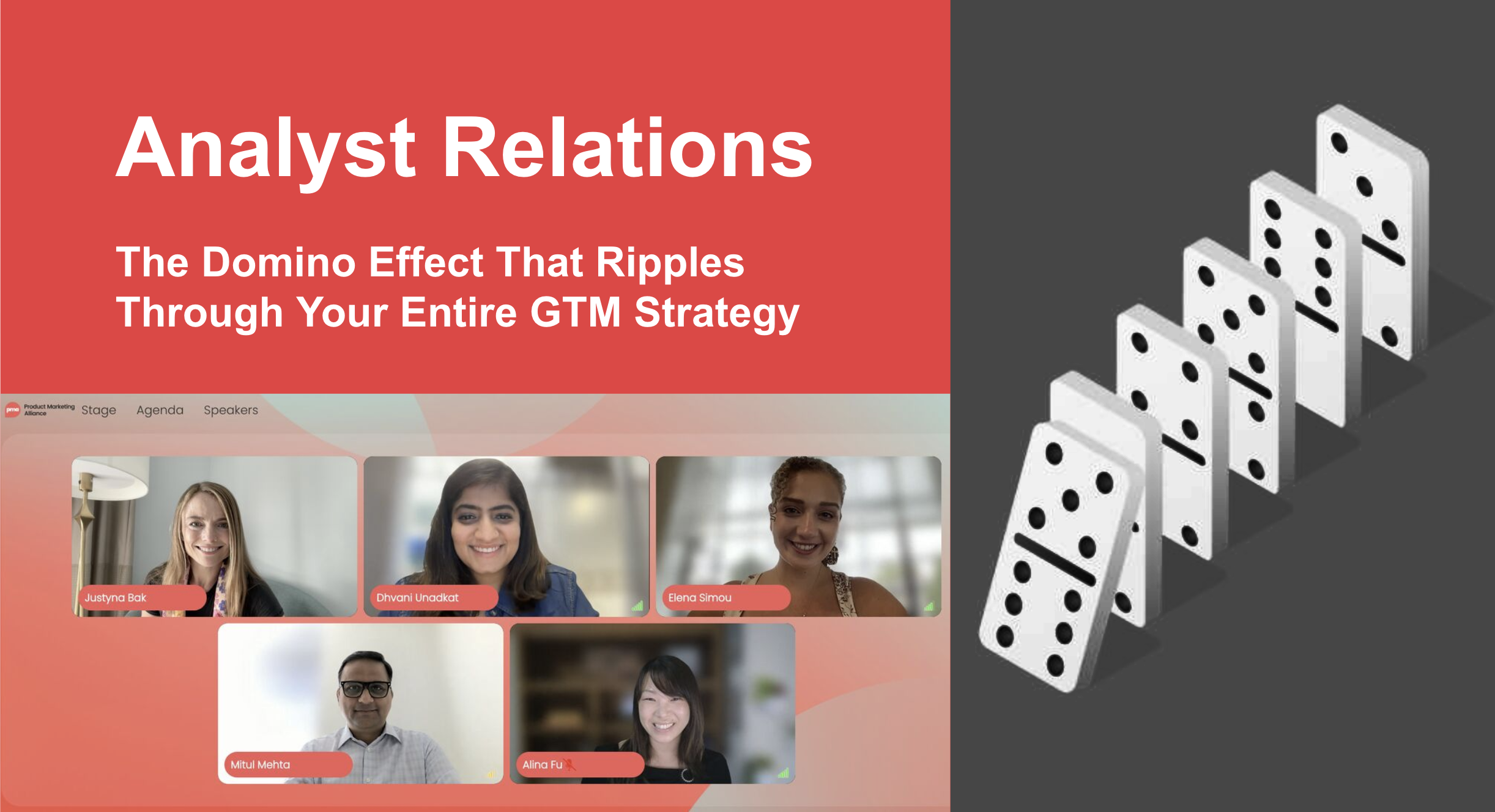
Too often, analyst relations becomes a scoreboard exercise: brief the analysts, wait for the evaluation, then place the logo and quadrant in the sales deck. That is the final domino. The real value begins much earlier through a sustained, two way relationship. Analysts can surface market shifts and buyer needs, challenge roadmap assumptions, reveal competitive gaps, and pressure test whether positioning is clear and differentiated.
As a marketer, I’m passionate about turning complex technologies into adoption and revenue, and analyst relations has been a big part of my work. I have been at every end of the spectrum. As a VP of Marketing at an early stage startup, I worked hard to get on the radar of the key analysts. At Fortune 100 companies like Nokia, Cisco, and Google, where my company was already in the top right quadrants, my goal was to maintain leadership and innovator status.
Last week, the key perk of moderating the panel discussion was that I got 45 minutes to ask my esteemed peers – Mitul Mehta, CMO at Datamatics, Dhvani Unadkat Sheth, who leads Product Growth at PayPal, and Alina Fu, Director of Copilot Marketing at Microsoft – the questions burning in my head and I came away with a goldmine of insights. This article is my summary of our conversation.
One more thing before we start. In the era of AI, when a buyer asks an LLM which vendors to shortlist, the answer is assembled from third party sources, and analyst research is among the most heavily weighted of them. So the work you, your team and your partners in Product put into AR provides ROI well before you see it.
Domino #1: Are you building something the market actually needs?
Analysts sit across hundreds of buyer conversations a quarter. That is a data set no single company can replicate at such scale and without bias, and it’s worth tapping into it in the early stages of product definition to create cross-functional alignment.
Case in point, Mitul described a moment when his product, sales, and marketing teams deadlocked over how to price a new AI service. Product wanted token based pricing because tokens are expensive and the math had to work. Sales and marketing pushed back because a consumption model gives the buyer no way to predict spend. There was no precedent to fall back on, so they took the question to the analyst community. The feedback was blunt: customers were not yet convinced the ROI was there, and asking them to commit dollars up front against an unproven benefit would stall adoption. The company shipped a usage first model instead, let customers experience value before paying for it, and used the usage data to price properly later. Analysts broke the tie.
Then Dhvani reminded us that:
Analysts can put a macro lens on a micro problem.
In a B2B2C business at PayPal, Dhvani was solving for the merchant and the end shopper at the same time, and a single merchant conversation could not tell her whether the friction she just heard about is one account’s issue or a market wide pattern. Analyst input tells you which one you are looking at, and that determines whether it belongs on the roadmap.
In my opinion, bringing analysts in at the product definition stage is critical to building strong relationships that later on create room for candid feedback throughout the product lifecycle. I learned the same lesson at both startups and Fortune 100 companies: market traction begins with framing the problem in language the market understands. Sometimes the problem space is clearly defined, sometimes it’s being“shaped as you ship”.
When I was VP of Marketing at a Series B startup in the edge AI space, Synadia, I wanted to get us onGartner‘s radar. I started by reading Gartner’s “2025 predictions for edge computing and AI” report, then mapped my platform to three challenges those trends would create: (1) running distributed applications reliably at the edge, (2) unifying AI data across cloud and edge, and (3) enabling AI agents to coordinate in real time. For each challenge, we connected the market trend to our differentiated capabilities and supported the story with customer evidence.
That exercise proved useful beyond the actual analyst briefing. It gave us a clearer way to articulate the market problem and explain our unique value. My lesson learned: use analyst research to understand how the market frames an emerging challenge, then develop your own point of view on how your product solves it.
Domino #2: Does your value land with your ICP?
Later on, Alina shared that Gartner’s early view of Microsoft Copilot was not favorable. There were reports listing the top gotchas and issues in every region.
Alina’s team decided objection handling was not a strategy. They built a coordinated program across product marketing, analyst relations, and product engineering, with the senior leaders of each in the room. Rather than argue with the criticism, they asked the analysts to hand over their punch list: every issue their clients cited as blocking or slowing adoption. The team expected around ten items. They got more than triple that. Then they worked the list like an engineering backlog, tracked sentiment against it, reviewed on a regular cadence, and closed more than 75 percent of the top issues in under six months.
They also stopped briefing and started sharing the product. Full licenses, preview capabilities ahead of general availability, and direct access to engineering when something broke. The number of analysts actively engaging with them doubled. Daily active use among those licensed analysts went above 90 percent. Alina’s team discovered that the research side of one firm did not know the IT side had already deployed Copilot. Nobody had connected them.
Alina’s Copilot example reminds us of an often under-appreciated value of AR.
Analysts are customer zero for your product (and possibly literal customers of it if you’re a major enterprise workload vendor).
My take-away from this portion of our discussion: late-stage objections are mostly determined months earlier. Aim for “no surprises”. Partner with analysts to surface objections and train your sales before those objections appear in the market. This takes real investment: free product seats at zero revenue, engineering on call for analyst escalations, a microsite someone keeps current, and a product leader who makes their calendar available for analyst sessions. The investment looks similar whether you’re a startup or a Fortune 100, the difference may lie in the number of analyst firms, total number of analysts to engage, and that your product may be more complex and with more history when you’re an enterprise vs. a new, smaller player.
Domino #3: How do you orchestrate growth and enablement programs?
Dhvani shared that in a B2B2C setting, conversion numbers are the best positioning test. From her time on the Amazon Ads side, the work towards getting in the top right quadrant did more than establish rank. It exposed market perception on the dimensions buyers actually cared about in AI powered advertising, which were transparency, governance, and control. That perception map shaped positioning, surfaced blockers, and told the team what advertiser mindset they were selling into.
Alina’s team built a curated microsite so analysts never had to hunt across the web for current product facts, testimonials, and adoption data. And they moved analyst feedback upstream of launch, incorporating it into capabilities before announcement rather than defending capabilities after it.
On enablement specifically, our panel had a consensus that the artifacts that travel furthest are rarely the direct quotes and broad endorsements. They are the total cost of ownership (TCO) models, the return on investment (ROI) analyses, and the third party framing of the problem that lets a seller open a conversation about the buyer’s business rather than your feature list.
My take-away: the assets that enable a seller and the assets that shape market perception are the same assets. Build the TCO model and the third party problem framing once, then make sure both your sellers and the market can find them.
Domino #4: What success metrics do you use to score your AR programs?
Mitul argued that the standard metrics, such as report presence and quadrant placement, measure the transaction rather than the relationship. His team scores analyst relationships the way they score customer accounts: how many analysts genuinely understand your positioning, whether their perception matches your reality, and how far your coverage extends into adjacent categories. If you sell automation, the automation analysts are the obvious set. The security and user experience analysts shape the same buying committee, and most programs never reach them.
He added a test I liked:
Do your analysts proactively call you when they hear something about you in the market?
If yes, you have a relationship. If no, you have a briefing calendar.
An audience question from Jennifer Hartwell asked how to track new customers making purchase decisions based on analyst rankings. Alina answered that it is multi touch attribution and deliberate instrumentation:
Flag analyst asset usage in the CRM.
Use conversation intelligence to catch the moments a quadrant or a TCO analysis actually moved a deal.
And accept that customer evidence is the input that changes what analysts write about you in the first place, which makes it upstream of the ranking you are trying to attribute.
My take-away: measure the leading indicators acrossqualitativeandquantitativemetrics. Has any customer brought up a TCO analysis on a call that shows in Gong reports? Has a sales colleague pinged you that the ROI calculator with analyst input helped convince a skeptic on the buying committee?
And add one more. Ask the LLMs the questions your buyers ask, and log which vendors get named and how you are described. Imperfect and early, and still the only signal on this list that measures the stage where your buyer now actually starts.
The one thing
To wrap things up, I asked each panelist for a single action the audience could take that day.
Alina’s was structural: stop letting AR sit alone. The default failure mode is a single team responsible for talking to analysts. The working model is a trifecta of product marketing, AR, and product engineering, because engineering is what makes the feedback loop credible.
Dhvani’s was to treat analysts as P0 customers and route their feedback into the roadmap like any other customer signal.
Mitul’s was a posture shift: AR is a strategic advisory function that runs through the roadmap, enablement, and go to market, not a transactional one that produces reports and mentions.
Mine is straightforward: start today. Set up one inquiry this week. Pick an analyst you have not spoken to in a while, read their latest research, and ask them what their clients are struggling with. Start mapping your GTM strategy and all the dominos but don’t let perfection stop you. While the North Star for your AR program may be the eval ranking, that’s the outcome of a long term AR strategy. Look for the leading indicators along the way and when in doubt, bias towards action and conversations.
The only way to build the chain is to set up the first domino.
Over a year after its February 2025 launch, Claude Code is being used beyond software engineering. Anthropic says more than half of public API tool calls now come from outside the developer world (Source: Measuring AI agent autonomy in practice). I am part of that “other 50%”, using Claude Code for market research, copywriting, document creation, and on brand visual storytelling. And I am loving the results.
Here’s a short FAQ with the why and the how I hacked Claude Code to do magic to my marketing workflow.
First, why Claude Code and not the chat version (Claude.ai)?
Claude.ai is great for focused conversations. Claude Code enables an entirely new workflow because it runs inside a folder on your laptop that can be full of relevant artifacts.
Every brief, deck, template, research document, and half finished draft in that folder is available for Claude Code to search, read, and use as needed. It can work across those artifacts and build something new from them.
Instead of opening a new chat, uploading a handful of files, and restating the business context, I open the workspace and start from where the work already lives.
Second, how to set up Claude Code for a marketer user?
Here’s a README file 😉
Step 1: Build a CLAUDE.md file
Describe who you are, what your company does, how you write, what a good output looks like, and what Claude should never do.
Claude Code loads those project instructions at the beginning of each session. No 15 minute warmup to explain your jobs to be done, your company context, your quality bar, and your writing preferences all over again.
You open the workspace and it is ready to work.
Step 2: Give Claude Code a folder on your laptop instead of a question
In 2023, many of us used AI like a search engine: One question. One answer. Move on.
In 2026, the better workflow is giving an agent a well organized set of source materials and a meaningful task. Strategic narratives. Customer research. EBC decks. Analyst notes. Messaging drafts. Product requirements. Sales data. Existing templates.
Claude Code can search, read, and synthesize the relevant materials as it works through a new project.
That mirrors how marketers actually work.
We switch context constantly, from product roadmaps and PRDs to sales forecasts and campaign copy.
We synthesize incomplete inputs, deal with messy starting points, and turn them into something useful.
For example, Claude Code can help you:
Build a customer facing, 30,000 foot thematic roadmap from product manager inputs, feature descriptions, and strategy documents.
Turn messaging documents into frameworks that give creative and campaign teams a stronger starting point.
Draft cross functional processes from scattered inputs across Product Marketing, Sales, Product Operations, Sales Operations, Finance, and Sales Enablement.
Step 3: Ask Claude Code to build your marketing artifact for you
Give it a source deck, a template, a spreadsheet, and a clear brief. Then ask it to create a new presentation in the same style.
It can work across the right files, follow the intended structure, match the template, write in your voice, and get you 80% of the way to a finished artifact.
The outcome takes longer than a quick chatbot response. Most of my projects take several minutes. But with the right brief, context, and a few hacks I will share below, you get a real artifact you can open, review, and share with your team after a quick polish.
Three Hacks That Made Claude Code Work for My Marketing Workflow
Hack 1: Turn off the permission prompts – only in the right workspace
Claude Code asks for approval when it is about to take meaningful actions, such as editing files, generating new ones, running commands, or reaching outside the workspace.
That is a good default. But when I am running a contained, end to end workflow in a dedicated project folder, repeated prompts can break the flow.
Fix it with one flag:
claude –permission-mode bypassPermissions
⚠️ Warning: Use bypass permissions only in a dedicated, disposable folder with no sensitive files, no shared drives, no untrusted code, and no untrusted documents. Do not run it from your home folder or an unfamiliar repository.
Hack 2: The CLI looks scary. Yet once you are inside it, it feels like a chat window with access to your files.
The terminal is the first thing that might put marketers off. For those of us who joined marketing from engineering, it may bring the scaries of getting stuck in VIM forever (q!).
But once you’re inside a terminal window, you’re just chatting. You type what you need, it responds, it works on the files in your folder.
If you’ve used Claude in a browser, the experience is almost identical, just without the upload button, because it doesn’t need one. Your files are already there.
Pro tip: you can use the chatbot of your choice, like Claude.ai to help you refine your brief for Claude Code to get better results faster. That’s the only copy-past you’ll need 😉
Hack 3: Experiment often to optimize over time
Anthropic found that experienced Claude Code users approve more actions automatically, while also interrupting more often when they need to redirect the work.
That matches my experience. Give Claude room to work. Watch the output. Step in when the brief needs to change, the quality slips, or the task needs human judgment.
My first artifacts were good. After a few prompt refinements, a stronger CLAUDE.md file, and better source materials, they started to look like something I could plausibly have created myself.
Who’s using Claude Code, ChatGPT Agents, Gemini CLI, or another agentic tool for non-coding work? What’s the most valuable workflow you’ve discovered?
Identifying your target segment is one of the most important steps in building an effective marketing strategy. It’s not just who you’re building for, but what part of your product they’ll actually value most.
Three years ago, I launched this newsletter by comparing five tech trends to five ski analogies. Keeping the tradition alive, here’s another winter story.
Meet the same mountain: 🇨🇭 Matterhorn to the Swiss, 🇮🇹 Cervino to the Italians.
One mountain. Two distinct audiences. Two value propositions.
Matterhorn (“Matte” = meadow, “Horn” = peak in German) dominates the Zermatt skyline and adorns everything from Toblerone bars to tourism campaigns. To the Swiss, its shape is iconic and source of pride. A clear, differentiated value prop.
Cervino, from the pre-Latin root karv (rock), competes in a crowded field. Think: Monte Bianco (Europe’s highest peak), Tre Cime di Lavaredo with the rugged peaks or the queen of the Dolomites, Marmolada. Beautiful? Absolutely. But in Italy, Cervino is just one of many.
So if you’re a marketer chasing product-market fit, the lesson is simple:
Make sure you’re marketing your Matterhorn to the Swiss, not the Italians.
Find the segment for whom your product is unforgettable.
The one who sees it as the only possible choice.
Just like Instagram did.
Instagram began in San Francisco as Burbn, a mobile check-in app created by Kevin Systrom rom and Mike Krieger. As the co-founders watched how users engaged with the product, one feature clearly rose above the rest: photo sharing. Everything else — location check-ins, gamified rewards — felt redundant next to Foursquare. After peaking at just 100 users, they made a bold decision to pivot. They stripped away all but the photo-sharing functionality, refined it with filters, and rebranded the app as Instagram: a name combining instant camera and telegram. [Source]Today, Instagram boasts more than 3 billion users. [Source]
Photo sharing with filters became to Instagram’s audience what the iconic, pyramid-shape of Matterhorn is to the Swiss: the one feature that made the product unforgettable.
Choosing the right target segment is critical, yet it’s only one of the 18 elements in a comprehensive go-to-market framework. If you want a practical structure for turning complex tech into adoption and revenue — with examples from companies like Google, Apple, Microsoft, Groq and Y Combinator — get my book 𝗠𝗮𝗿𝗸𝗲𝘁𝗶𝗻𝗴 𝗣𝗹𝗮𝗻 𝗳𝗼𝗿 𝗧𝗲𝗰𝗵 𝗦𝘁𝗮𝗿𝘁𝘂𝗽𝘀 ⬇️
Today marks a new chapter for Marketing Plan for Tech Startups: a partnership with Xapa, creators of a mobile app that turns learning into a gamified experience you actually want to use, with the coolest avatars! 👩🏫 ➡️ 🦸♀️
Together, we’re making the book’s frameworks accessible to marketing teams globally, not just individual readers.
I couldn’t imagine a better partner than Xapa’s CEO Christine / Chris Heckart, a three-time CMO and former C-level executive at NetApp, Cisco, and Juniper Networks. Her philosophy, “Think big, start small, move fast,” deeply aligns with how I think about modern marketing.
✅ The innovation is real ✅ The market need is real 😞 Yet adoption never comes
Why? Too many random acts of marketing. Not enough fundamentals.
After speaking with hundreds of early-stage founders and marketing leaders, three themes keep repeating:
1️⃣ Marketing is often reduced to “promotion,” when it should start with product use cases and customer needs 2️⃣ Positioning, competitive analysis, and customer journey mapping are rushed or skipped 3️⃣ Once founders become “marketing converts,” they want to upskill the entire team, not just one reader
These misconceptions, and the cost of ignoring fundamentals under pressure, are exactly why I wrote the book.
When founders become “marketing converts,” their next question is always the same: 𝗛𝗼𝘄 𝗱𝗼 𝗜 𝗯𝗿𝗶𝗻𝗴 𝘁𝗵𝗲 𝗿𝗲𝘀𝘁 𝗼𝗳 𝗺𝘆 𝘁𝗲𝗮𝗺 𝗮𝗹𝗼𝗻𝗴?
A practical guide to align teams across product, marketing, and sales, and accelerate growth.
✅ 𝗙𝗼𝗿 𝗮𝘀𝗽𝗶𝗿𝗶𝗻𝗴 𝗺𝗮𝗿𝗸𝗲𝘁𝗲𝗿𝘀 “I wish I had it in 2014 when I stepped into marketing.” Ian Andrews, CRO, Groq and former CMO, Chainalysis
A clear overview of modern marketing from positioning to demand generation.
📘 Digital or physical 🎁 Gift it or keep it for yourself
🎁🎁 𝗛𝗼𝗹𝗶𝗱𝗮𝘆 𝗴𝗶𝗳𝘁 𝗳𝗿𝗼𝗺 𝗺𝗲 ($𝟱𝟬 𝘃𝗮𝗹𝘂𝗲) until January 9th 2026 Buy the book and DM me, and I’ll send you my 𝗠𝗮𝗿𝗸𝗲𝘁𝗶𝗻𝗴 𝗣𝗹𝗮𝗻 𝗧𝗲𝗺𝗽𝗹𝗮𝘁𝗲 in Google Slides or PowerPoint so you can immediately apply the learnings from the book and build your own marketing roadmap to hit the ground running in 2026.
Last week I had the opportunity to lead a Go To Market workshop for 18 robotics and hardware startups. It was a hands on and highly interactive 90 minute session with an exceptional audience at INNOVIT – Italian Innovation and Culture Hub.
As the structure for the session, I used the same three step framework that has guided me while bootstrapping new revenue streams at Fortune 100 companies and at early stage startups. It is the shortened version of the eighteen element foundation I teach in Marketing Plan for Tech Startups, and it works across every go to market motion from product led to sales led to hybrid.
First, describe your Ideal Customer Profile
We opened with the most important question.
Who exactly is your ideal customer?
In my experience, the more complex the product is, the more founders talk about features. To turn innovation into adoption and revenue, you need an outside in view.
Who feels the most pain?
Is the pain severe enough to demand action?
Is the buyer also the user?
These answers determine your motion and your entire GTM strategy.
Our first exercise was the creation of personas. These are semi fictional representations of your ideal customer, grounded in market research and real user data when available. Personas help teams focus on the people who are most likely to try, buy, and champion the product.
Anchoring your GTM strategy in the needs and pains of ideal customers is essential for growth because “no company in its right mind tries to sell to everyone” – Philip Kotler, the father of modern marketing.
Startups win when they direct their energy toward the customers who value them most and can move quickly from awareness to decision.
Second, write your product Positioning Statement
With our ideal customer defined, we clarified the value of our products.
What outcome do you deliver?
Why is this outcome better than the alternatives?
Can a customer understand the value instantly?
A common misstep in early stage companies is the desire to be a Swiss army knife. Broad promises lead to vague narratives that resonate with no one. Traction comes from simplicity, precision, and a tightly focused promise.
Brian Chesky nailed it: “Build something one hundred people love, not something one million people kind of like.”
Great positioning does not narrow your market. It accelerates your path to it. Iconic companies begin by winning the trust and enthusiasm of a narrow set of early adopters. That early concentration of love is what unlocks broader adoption later.
When founders commit to focused positioning, everything becomes easier. Messaging sharpens. Experiments run faster. Customers see the transformation you make possible and can picture their own success.
Finally, map your Customer Journey
With target segments and positioning in place, we mapped the customer journey. This means understanding each step people take as they discover your product, engage with it, and remain loyal over time. A clear journey reveals the questions customers ask at every stage and the confidence they need before moving forward.
This is also where demand generation begins. Demand generation is the discipline of finding and engaging customers whose problems align with your solution. It turns your strategy into motion and builds the path to consistent revenue.
Since launching Marketing Plan for Tech Startups, I have spoken with many founders, investors, and startup accelerator. Some founders still feel cautious about the word marketing. They associate it with tactical activity rather than revenue. In reality, effective marketing creates the conditions for predictable growth by aligning product value with customer urgency.
In the workshop, we mapped that path with precision:
Awareness: “Is there a better way?”
Consideration: “What are my best options?”
Decision: “Why you? Why now?”
Retention: “Is this still worth it?”
Advocacy: “Will I recommend this to my peers?”
The marketer’s job does not end at conversion. In 2025, Net Revenue Retention (NRR) is the metric that shows whether your go to market engine truly works, as demand generation experts and key contributors to Marketing Plan for Tech StartupsHeidi Ramich and Kristi Berg McCutchen remind us.
We also discussed the emotional dimension of decision making. Baba Shiv from Stanford University Graduate School of Business notes that nearly 95% of decisions are rooted in emotion rather than logic. Emotion influences perceived risk and readiness to act.
When you understand those emotional triggers, your messaging gains clarity and your growth accelerates.
High performing GTM teams optimize the customer experience at every stage of the journey. They remove friction. They build trust. They create momentum from first impression to long term advocacy.
On the heels of my Marketing Plan for Tech Startups launch during TECH WEEK by a16z, I had the joy of hand-delivering copies to some of the people who shaped my marketing journey: teachers, mentors, and icons whose ideas live inside these pages.
At Stanford University Graduate School of Business, I sat down with Professor Baba Shiv, whose groundbreaking research on the neuroscience of decision-making forever changed how I think about marketing. He taught me that 95% of our decisions are driven by emotion, not logic — a truth that still holds in B2B, even when the stakes involve multi-year contracts and enterprise deals.
Stanford GSB: With Prof. Baba Shiv this week (2025) and the cohort of the Innovative Technology Leader program (2023)
AtGoogle , I met with Jeanine Banks whose leadership at Google Developer X taught me what it truly means to innovate inside a large organization. Working for Jeanine was a career highlight for me and her ability to bootstrap new initiatives and help teams “execute and win like a startup” inspired many of the ideas I share in the book.
Google: With Jeanine Banks this week (2025) and during my Noogler orientation (2018)
And at Y Combinator, I caught up with Pete Koomen, Partner at YC and Co-founder of Optimizely, one of Silicon Valley’s great success stories. His Startup School talk on enterprise sales remains one of my favorites, and key lessons from that lecture made their way into this book.
Wth Pete Koomen at Y CombinatorPete’s quote for the Marketing Plan for Tech Startups
Every stop on this tour felt like a full-circle moment: celebrating the people and ideas that helped build the foundations this book stands on.
Where shall I make the next stop on the book tour?
I’m still on cloud nine after three incredible book launch events during TECH WEEK by a16z. Seeing Marketing Plan for Tech Startups in the hands of its first readers felt surreal.
Across the week, I met founders, marketers, and innovators who share a belief that marketing must be part of product creation from day one.
Each conversation reminded me why I wrote this book: to help builders turn innovation into adoption, and adoption into revenue.
Book by the Numbers
The Marketing Plan for Tech Startups is your trusted companion for moving from product idea to adoption and revenue with confidence.
Startup founders will gain clarity on priorities and next steps when it matters most.
Marketing executives will get a timely gut check to align teams and accelerate growth.
#1 New Releases in Direct Marketing on Amazon
✅ #1 New Releases in Direct Marketing
✅ 3 timeless marketing axioms
✅ 3 book launch events at SF TechWeek
✅ 18 elements of a complete marketing plan
✅ 30+ expert contributors from global tech leaders
✅ 60+ brands and products featured
✅ 300+ startup founders and marketing leaders RSVP’d for the launch
3rd Event 🚀🚀🚀: The Official Book Launch
📅 Friday, Oct 10 | Official Book Launch at Contentful’s SoMA office
300+ Startup Founders and Marketing Leaders RSVP’ed to the Official Book Launch Party
As a marketer, I believe in drinking my own champagne: staying hands-on with the product, engaging directly with customers, and implementing what I advocate for in the book. That’s why I chose to launch Marketing Plan for Tech Startups during the Tech Week conference, attended by my ideal readers: founders and marketing leaders passionate about innovation.
In the book’s chapter on positioning, I quote Brian Chesky:
“Build something 100 people love, not something 1 million people kind of like.”
That principle guided my launch: starting small and creating genuine connections with early adopters before scaling. And what better place to engage directly with readers than the largest distributed conference in Tech?
Still, I didn’t expect such an overwhelming response. Over 300 Tech Week attendees signed up for the launch. 🫢
Even after years of designing and hosting events for major tech companies, this one felt different.
1000+ Women Leaders RSVP’ed to “Women in AI” Event at Chief
AI is lowering the barriers to innovation, and women are leading the charge. At Chief, I had the honor of joining Joyce Chen, Monisha Somji, Elaine Wah, and Susan Chu to discuss how women are shaping the next wave of AI.
As someone who studied computer science and began her career as a software engineer, I was often the only woman in the room. Seeing AI open the door for more voices — especially women’s voices — feels deeply personal. The event at Chief made that shift visible: a packed room and 900+ people on the waitlist.
The AI era does not shrink marketing’s role. It expands it.
For too long, marketing has been narrowed to campaigns and promotion. But with AI, we now have the tools to reclaim the full scope across product, price, place, and promotion.
There’s never been a better time to be a marketer than in the era of AI.
1st Event 🚀: Funded Female Founders
📅 Monday, Oct 6 | Startup Grind: Female Founders backed by YC
The Book Debut: Funded Female Founders Event with Startup Grind
On the first day of SF TechWeek, at a female-founders event, a VC said she’s no longer investing based on technical depth alone. She’s investing in founders with a clear go-to-market plan.
That insight resonated deeply, and it’s exactly why I launched 𝐌𝐚𝐫𝐤𝐞𝐭𝐢𝐧𝐠 𝐏𝐥𝐚𝐧 𝐟𝐨𝐫 𝐓𝐞𝐜𝐡 𝐒𝐭𝐚𝐫𝐭𝐮𝐩𝐬 during Tech Week. When the barriers to building lower, your go-to-market plan is what turns great tech into a great business.
With Gratitude
Thank you to everyone who showed up, shared ideas, and helped this book lift off.
I’m a Marketing Executive, an astute influencer, panelist, and public speaker with recent appearances on Harvard Business Review (HBR). I live and work in San Francisco.